Online Car Rim & Wheel Visualizer
CarRim Engineering Team · Automotive computer-vision and rendering engineers behind CarRim Studio (Web & iOS)Last updated:
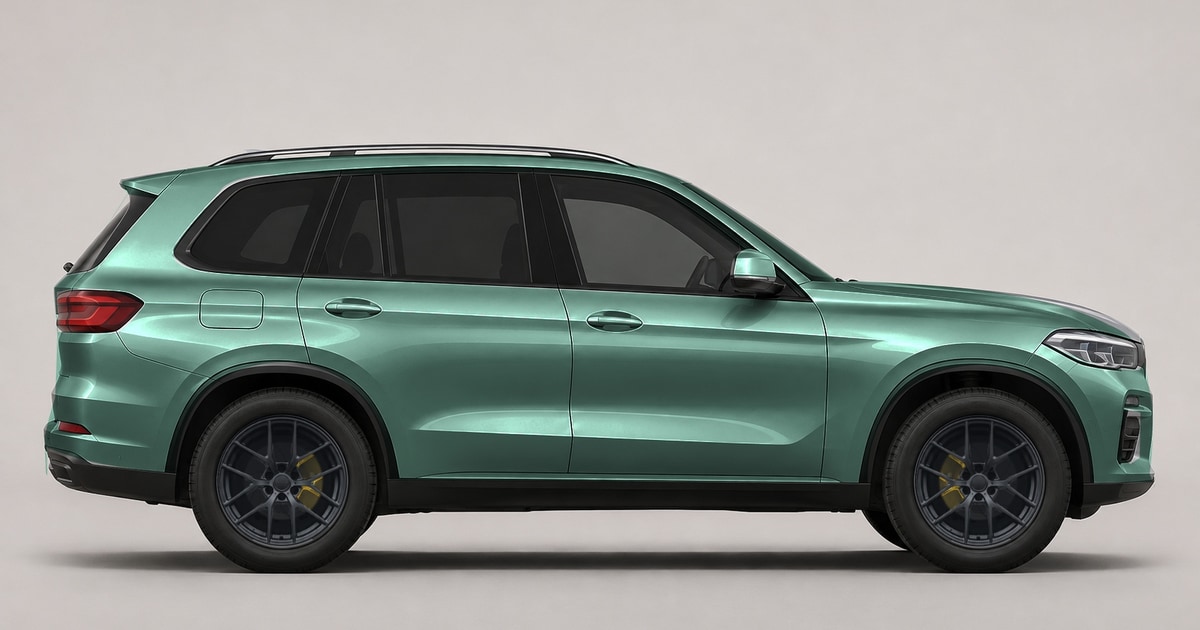
CarRim Studio is an online car rim and wheel visualizer that fits 7 built-in studio rims, 1,254 cloud wheel models across 19 brands, or any custom wheel photo onto your own vehicle using local browser AI wheel detection and a 3D perspective trackball.
How many wheel styles can you preview on your own car photo?
You can browse curated studio wheels, filter a multi-brand cloud catalog by brand or model name, or crop any wheel image from the web into a transparent rim asset.
- 7 built-in studio forged wheels ready immediately offline/locally (Track 10-Spoke, Y-Spoke Motorsport, Classic 5-Spoke, GT Wire Mesh, Heritage Deep Dish, Satin Bronze 6-Spoke, EV Aero Blade).
- 1,254 cloud wheel models spanning 19 wheel brands (955 models across 6 original catalog brands such as OZ Racing, plus 299 additional models across 13 brands) with brand filtering and model search.
- Custom Circular Rim Cropper: upload any front-facing wheel photo, align the circular crop guide, and swap it onto both axles.
- 6 alloy finish tints: Original, Brushed Silver, Gunmetal, Satin Black, Matte Bronze, and Forged Gold.
| Wheel Visualizer Module | Supported Range & Controls |
|---|---|
| Built-In Studio Wheels | 7 transparent forged alloy PNG styles |
| Cloud Wheel Catalog | 19 brands / 1,254 models (searchable by brand and model) |
| Custom Wheel Import | Interactive circular cropper (JPG, PNG, WebP) |
| Finish Tinting | 6 finishes: Original, Silver, Gunmetal, Satin Black, Bronze, Gold |
| 3D Perspective Controls | Size, Width/Height, Tilt, Spoke Rotation, 3D Trackball (Pitch X & Yaw Y) |
In summary, whether you want to test a known brand model or a rare wheel screenshot, CarRim Studio handles both in the same browser workflow.
How does the 3D Wheel Trackball fix pasted-on looks at 3/4 angles?
Flat 2D wheel overlays look fake whenever the camera is not perfectly perpendicular to the car side. CarRim includes a circular 3D wheel trackball that adjusts Pitch X, Yaw Y, plane tilt, independent width/height, and barrel depth.
You can link both wheels for symmetrical side shots or adjust Wheel 1 and Wheel 2 independently on steep 3/4 perspectives.
Therefore, matching camera perspective takes a single drag on the 3D trackball rather than manual skew transforms in desktop photo editors.
What should you know before ordering real aftermarket wheels?
CarRim Studio visualizes exterior wheel styling, spoke geometry, finish contrast, and tire/arch proportion on your photo. It does not measure physical bolt pattern (PCD), hub bore, offset (ET), or brake caliper clearance.
Key takeaway: use CarRim Studio to lock in spoke design, diameter look, and finish color first, then verify exact PCD, ET, center bore, and brake clearance with your wheel dealer.
Frequently asked questions
Can I upload a wheel photo that is not in the CarRim catalog?
Yes. Open Wheels → Import wheel, align the wheel rim inside the circular cropper, and apply it directly to your car photo with full 3D perspective and finish tinting.
Does wheel detection upload my car photo to a server?
No. Local ONNX wheel detection and contour refinement run directly inside your browser during preview.
Can I pair aftermarket wheels with custom tires and brake kits?
Yes. You can switch tire styles (Original, Sport, Touring, All-Terrain) and pair 4 brake disc styles with 4 caliper designs directly behind the spokes.
Ready to spec your build in full 4K?
Open CarRim Studio