Black Car Wrap Finishes: Gloss vs. Satin vs. Matte Black Preview
Gloss black, satin black, and matte black look nearly identical on a small vinyl swatch—yet transform a full car completely. Seeing all three finishes rendered on the same sculpted GT body reveals how clearcoat reflection, satin sheen, and flat matte absorption change every body crease.
Opens Paint in CarRim Studio: pick Obsidian Black, then toggle Metallic, Satin, and Matte.
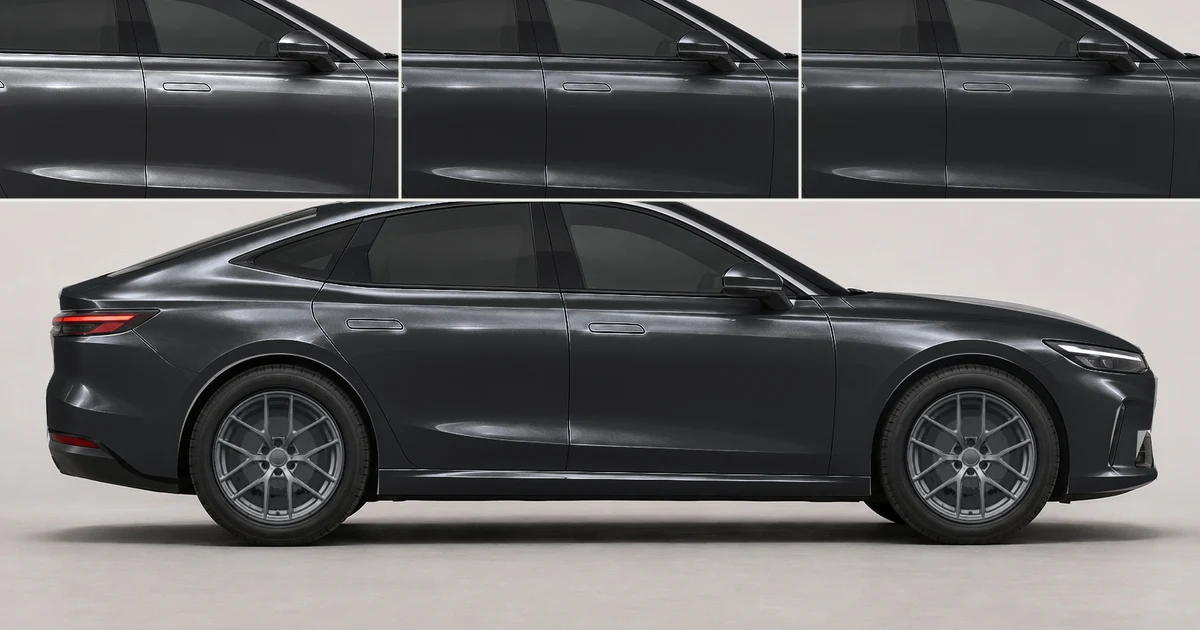
Same GT coupe, same lighting: gloss metallic vs. satin vs. matte black
Each image renders CarRim Studio’s GT concept car with identical wheels and studio lighting, isolating only the paint/wrap specular finish curve.
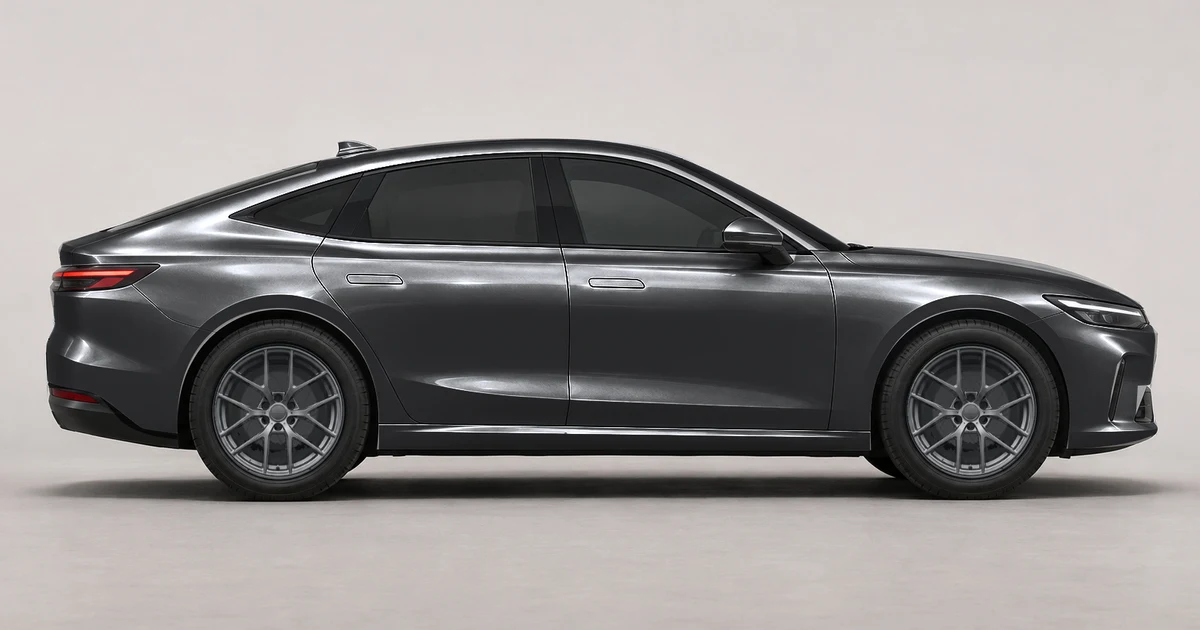
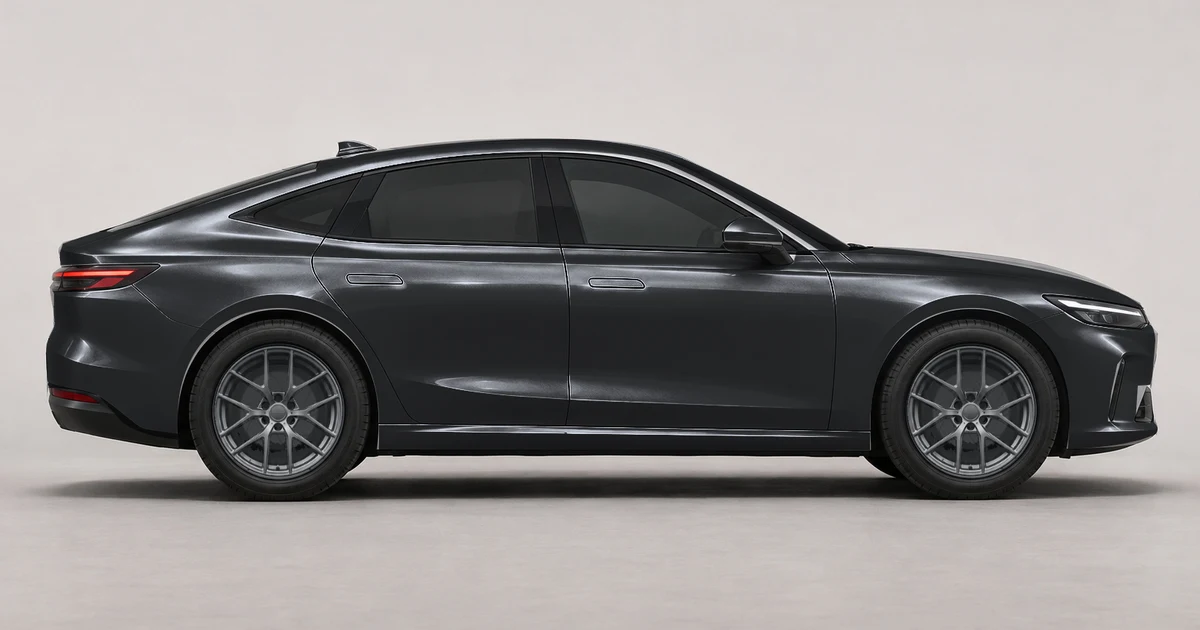
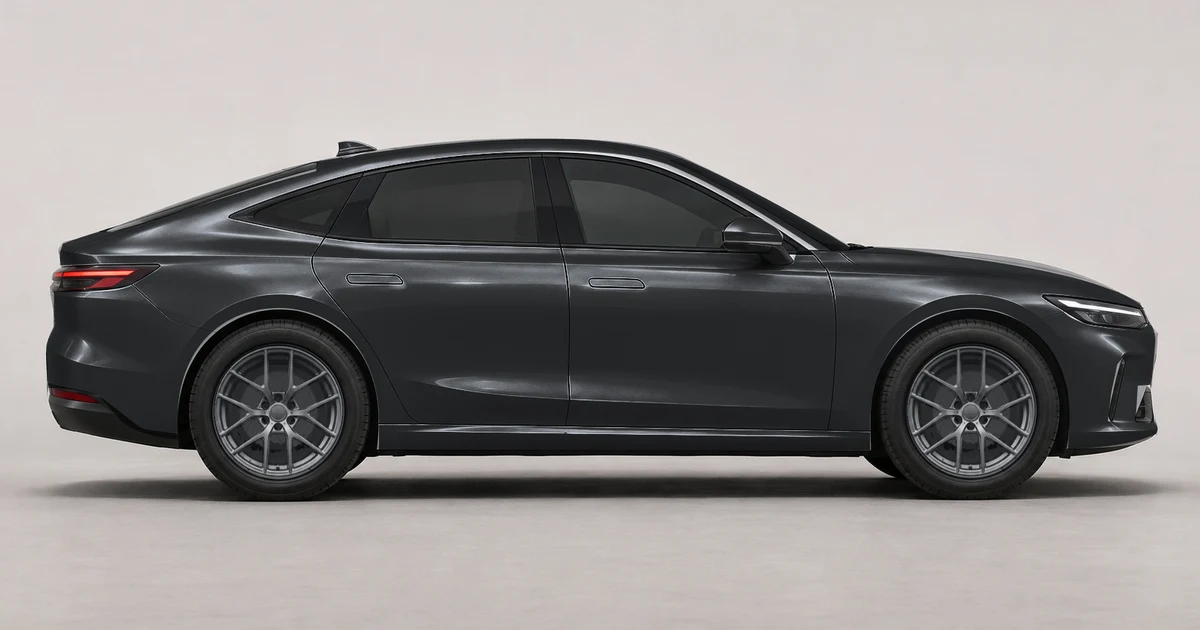
CarRim Engineering Team · Automotive styling & renderingLast updated:
Gloss vs. Satin vs. Matte Black wrap comparison table
Most wrap regret on black builds comes from choosing the wrong sheen for the car’s bodywork—flattening subtle curves or picking a finish harder to maintain than expected.
| Black wrap finish | Highlight behavior | Body-crease definition | Maintenance & ideal body shape |
|---|---|---|---|
| Gloss / Metallic Black | Crisp mirror reflections | High (via environmental reflections) | Shows swirls/dust fastest; timeless on any silhouette |
| Satin Black | Silky diffused sheen | Highest (sculpted light-to-shadow roll) | Hides light marks well; top pick for sculpted coupes & sedans |
| Matte Black | Near-zero specular glare | Moderate (needs crisp panel edges) | Requires matte-safe soap (no gloss wax); shines on angular SUVs & widebodies |
Satin black is the safest sweet spot for most modern cars—it keeps stealth aggression while letting sunlight sculpt every body line instead of turning panels into flat shadows.
Why standard photo filters ruin black car wrap previews
Basic color overlays simply darken pixels uniformly, crushing door seams, reflections, and glass contrast into a muddy silhouette. CarRim Studio’s luminance-preserving paint engine separates underlying illumination from target sheen, keeping realistic reflections on gloss metallic while smoothly compressing highlight roll-off for satin and matte wraps.
How luminance-preserving color mapping keeps dark wraps realistic
Check your own car’s curves before booking a wrap shop
Snap a daylight 3/4 photo of your car where hood and door reflections are visible, load it into CarRim Studio locally (no upload required during preview), and toggle Metallic, Satin, and Matte black. Save screenshots of your top two finishes, then compare physical vinyl swatches from your installer outdoors in direct sun and shade.
Frequently asked questions
Can I preview a light-colored car wrapped in satin or matte black accurately?
Yes—CarRim Studio preserves your photo’s existing highlight map and panel shadows while applying satin or matte reflectance curves, making it easy to judge sheen differences before viewing physical swatches outdoors.
Is satin black easier to live with than matte black vinyl?
Most wrap owners find satin black slightly more forgiving day to day: its subtle sheen resists looking chalky under dust and preserves body shape better in overcast weather than dead-flat matte film.
Opens Paint in CarRim Studio: pick Obsidian Black, then toggle Metallic, Satin, and Matte.
Compare black wrap finishes on my car